Flip Profit HQ Pro
Everything a reseller tracks, in one place.
The Pro sheet, the Flip Profit HQ app and three bonus guides. Price it, buy it, list it, sell it, ship it, return it, and see what you actually kept at every step.
Founding price through November 30, 2026. One payment, no subscription.
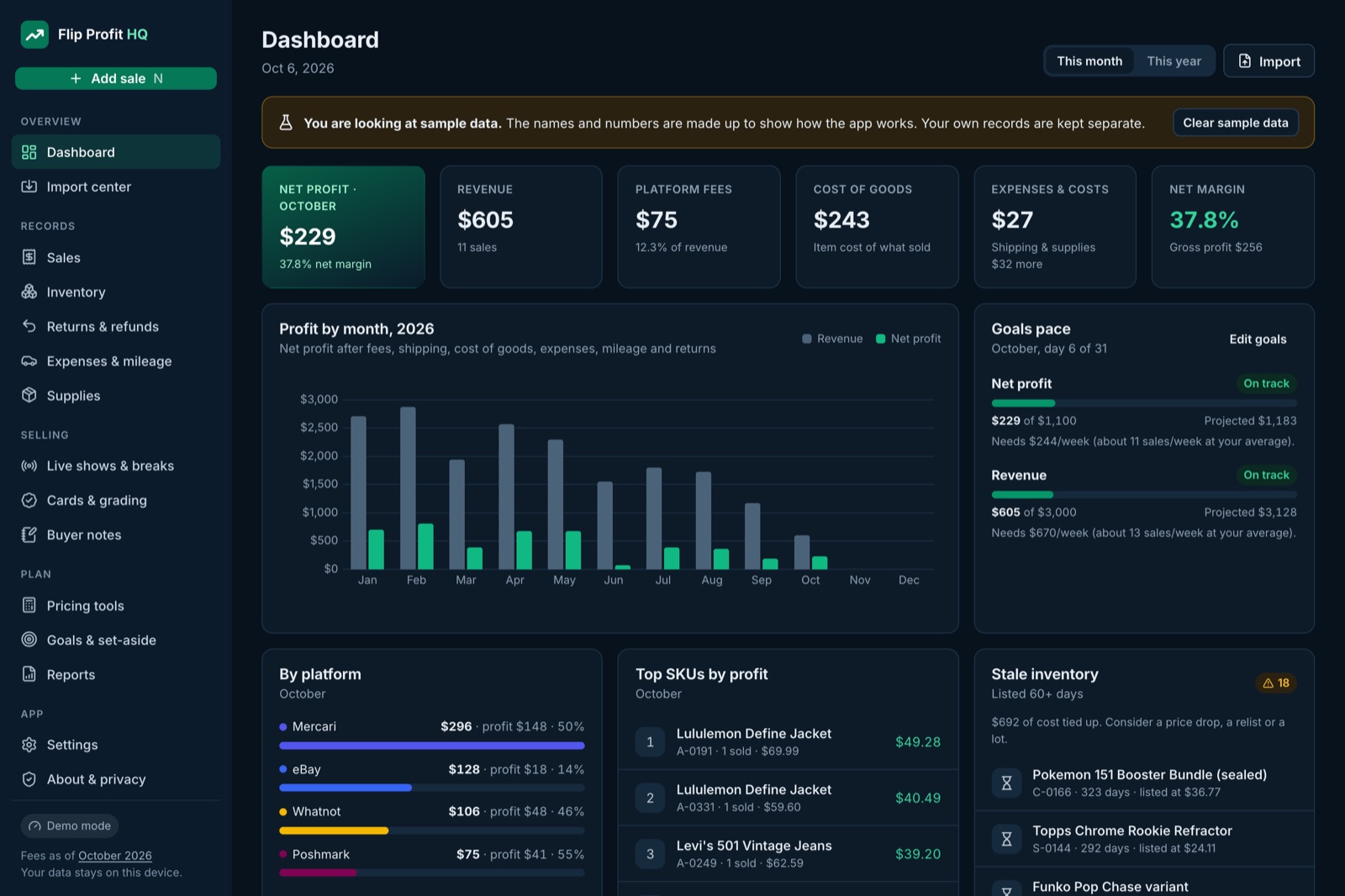
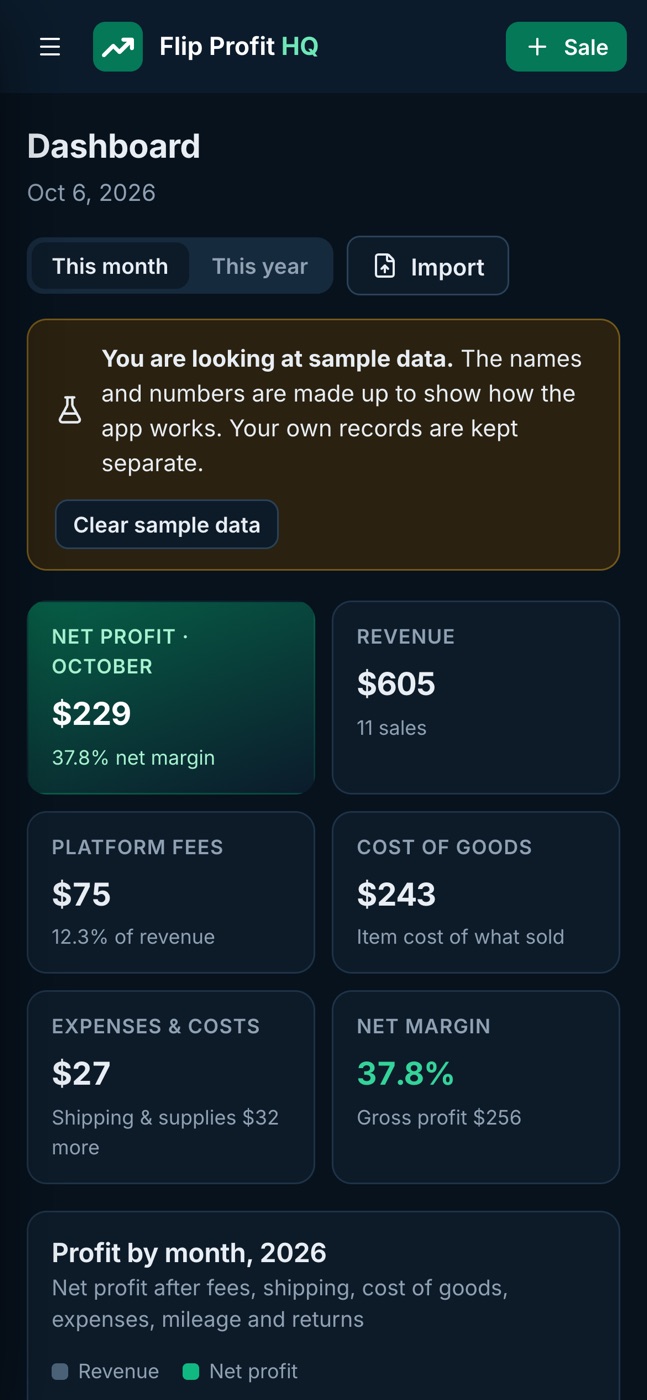
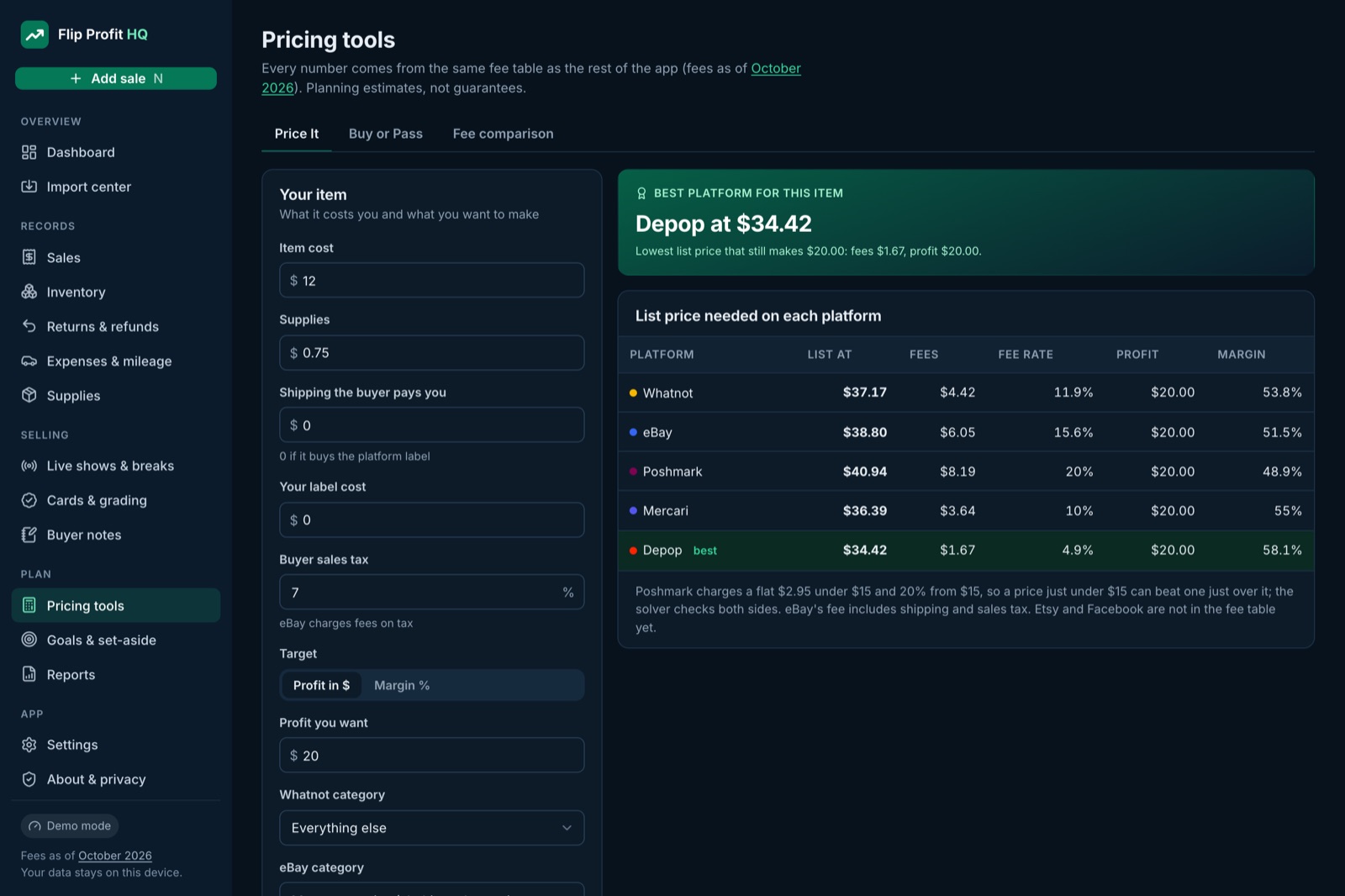
Price It. The list price you need on each platform to hit your profit. 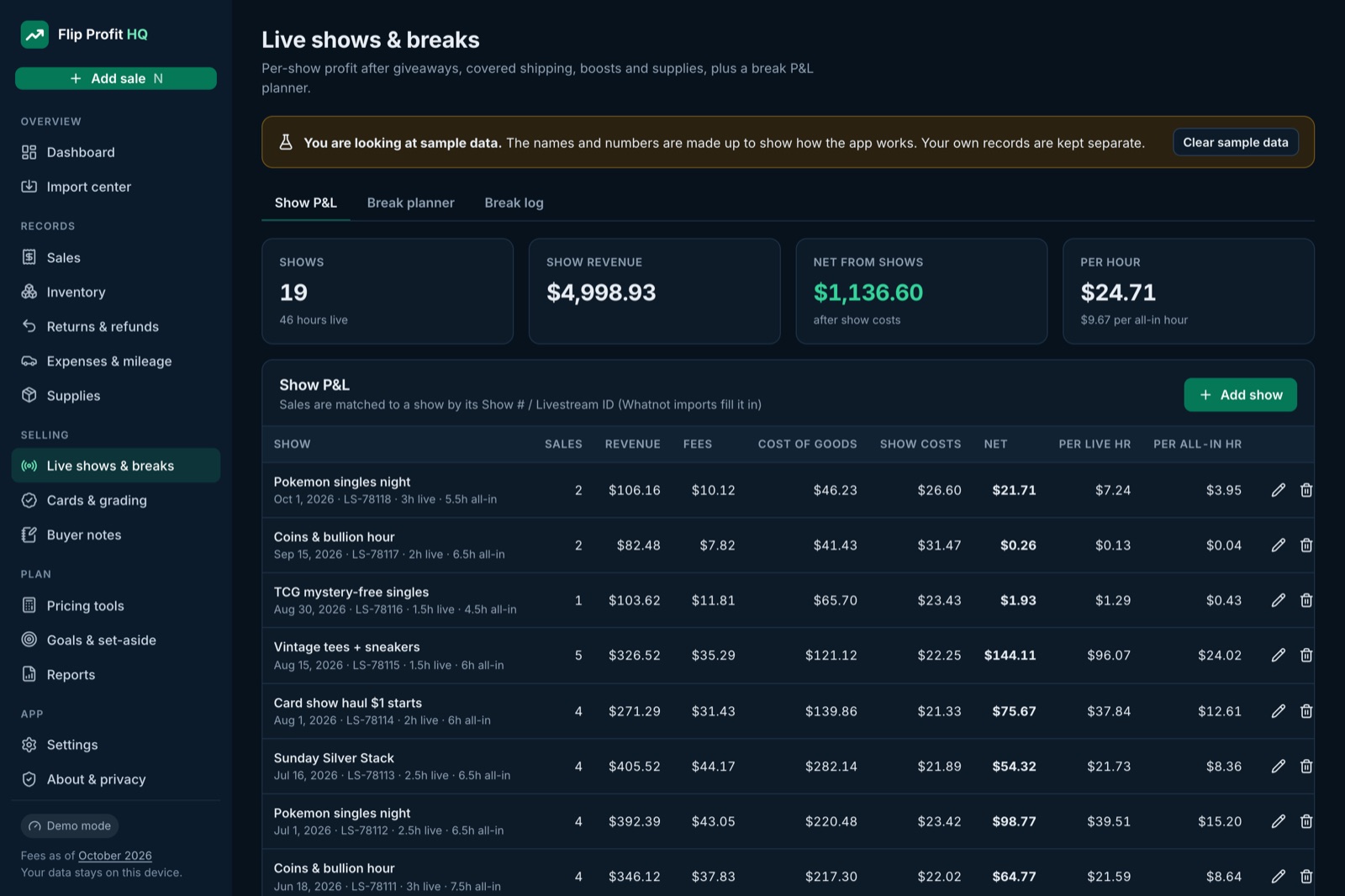
Show P&L. Profit per live hour and per all-in hour, show by show. 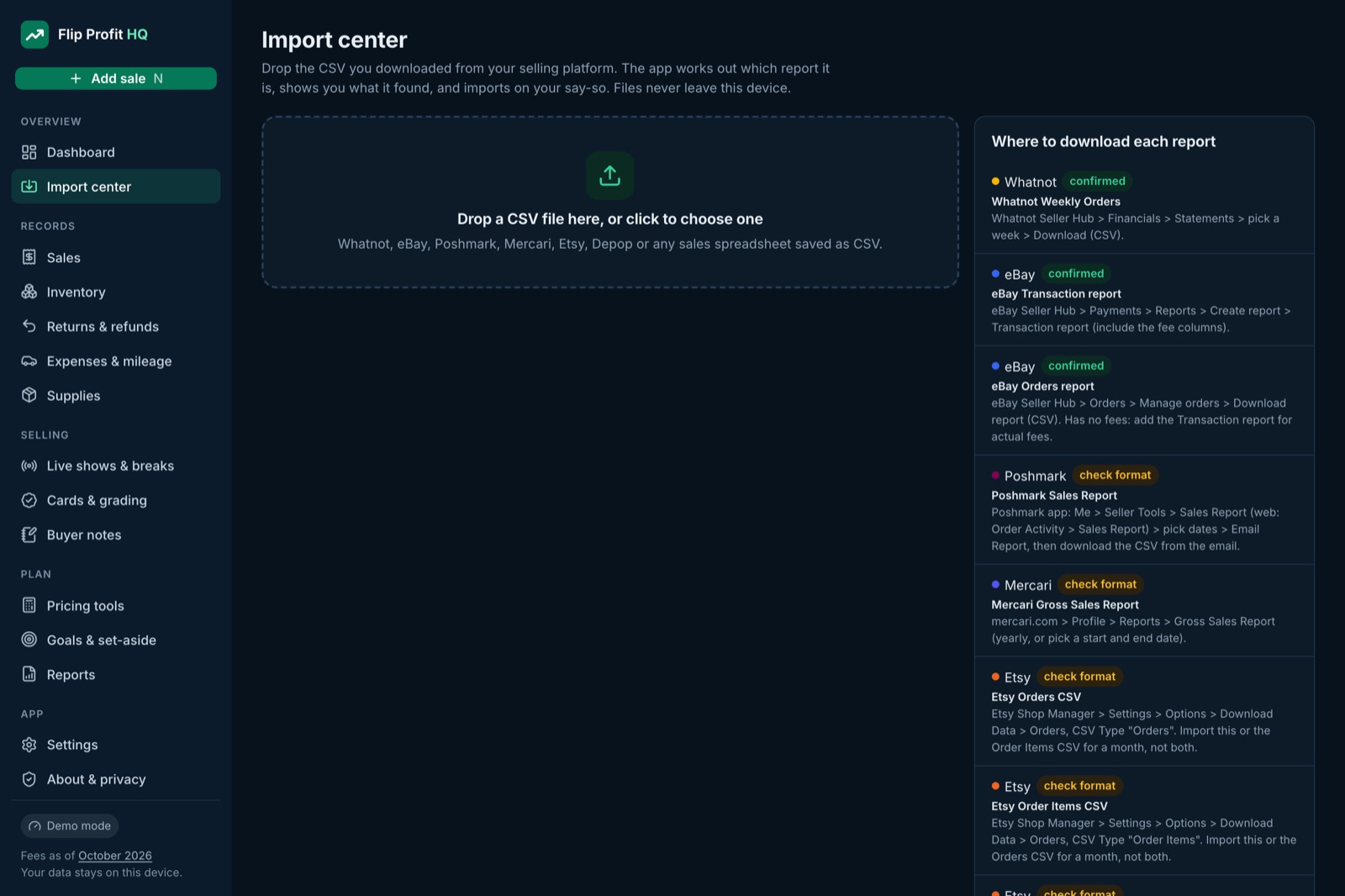
Import center. Drop in a report; it detects the platform and skips duplicates. 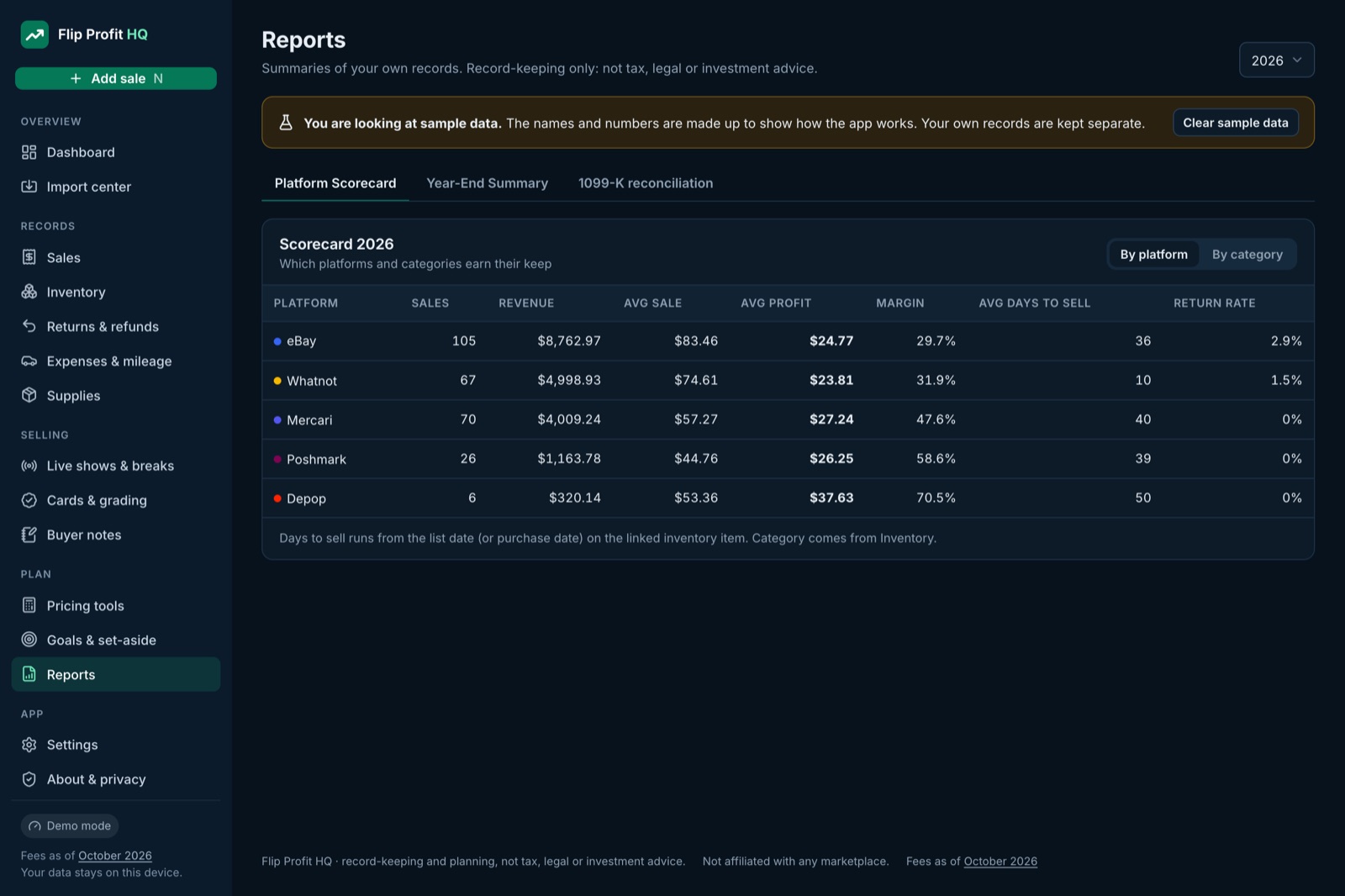
Reports. Platform scorecard, year-end summary and a 1099-K helper.
Screens show the app’s built-in sample data. Try it yourself: open the free demo.
The app
Log a sale in the parking lot. Check a buy in the aisle.
Spreadsheets are great at a desk and painful on a phone. The Flip Profit HQ app gives you the same math on a screen made for quick entries, and it keeps working with no signal at the bins.
- Drop in a CSV and it works out which platform and report it is, previews the rows and skips duplicates.
- Fees calculate as you type, using the same engine as our public Fee Ledger.
- Installs to your home screen. Works offline.
- No account. Your records stay on your device. Back up to a file whenever you like.
- Export to CSV or Excel any time. Your data is never locked in.
Why local-first?
Most reseller apps keep your sales on their servers and charge monthly to see them. We don’t want your data. The app stores it in your own browser, so there’s nothing for us to lose, sell or hold hostage, and there’s no monthly fee to keep using it.
Clearing your browser data erases it, so the app reminds you to back up.
What Pro adds
Twelve tools on top of the core sheet
Each one answers a question resellers actually ask. Every fee comes from the same editable fee table, never a hidden number.
Price It
Type in your cost and the profit you want. See the list price you need on each platform, the fees at that price and which platform leaves you the most.
Buy or Pass
Standing in the aisle? Enter the shelf price and what it sells for, and see profit, ROI and the most you should pay. The sourcing log shows which stores actually pay off.
Listings and aging
Track where each item is listed, its price drops and how many days it has sat. Stale items get flagged at the number of days you choose.
Cards and grading
Follow each submission from sent to returned. Grading fees and shipping roll into that card’s cost, so profit is real when it sells. Fees are editable and dated, because graders change them.
Live show and break P&L
Profit per show after giveaways, shipping you covered, boosts and supplies. Add your prep and packing time to see profit per live hour and per all-in hour. Break-even spot price for breaks.
Returns and refunds
The full cost of a return: the refund, fees you did or didn’t get back, return shipping and whether the item went back on the shelf.
Supplies
Mailers, tape, sleeves and labels with cost per unit and reorder alerts. Build a per-package cost once and reuse it on every sale.
Goals and pace
Set a monthly revenue or profit goal and see whether you’re on pace, and how many sales a week it would take at your current average.
Tax set-aside record
You choose a percentage; it shows the monthly amount from your net profit and logs what you’ve moved aside. A savings record, not tax advice.
Year-end summary
One printable page per year: sales and fees by platform, cost of goods, expenses by category, mileage, returns and 1099-K totals. Hand it to whoever does your taxes.
Platform scorecard
Average sale, average profit, margin, days to sell and return rate for each platform and category, side by side.
Lot splitter and receipts
Split a bulk lot’s cost across items by estimated value. Keep a receipts index matched to your expense rows.
Imports
Bring in the reports you already download
Download a report from your own seller account, open it in the sheet or the app, done. Re-importing the same file never doubles your sales.
| Platform | File it reads | Edition |
|---|---|---|
| Whatnot | Weekly orders report | Core + Pro |
| eBay | Transaction report and orders report | Core + Pro |
| Poshmark | My Sales report | Pro |
| Mercari | Gross Sales Report | Pro |
| Etsy | Orders, Order Items and the monthly statement (actual fees) | Pro |
| Depop and anything else | Any sales CSV: pick which column is the date, price, fees and order ID once, and it’s remembered | Pro |
Platforms change their export files from time to time. If one of yours stops importing, email us a sample with the numbers removed and we’ll update the importer.
Core or Pro
Pick the one that fits
| Feature | Core $29 | Pro $49 |
|---|---|---|
| Fee engine for Whatnot (new tiers), eBay, Poshmark, Mercari, Depop, Etsy, Facebook | ✓ | ✓ |
| Inventory, sales log, expenses, mileage (2026 IRS rates) | ✓ | ✓ |
| Live show P&L and 1099-K helper | ✓ | ✓ |
| Dashboards by month and platform | ✓ | ✓ |
| CSV import: Whatnot and eBay | ✓ | ✓ |
| CSV import: Poshmark, Mercari, Etsy and a generic mapper | — | ✓ |
| Price It and Buy or Pass calculators | — | ✓ |
| Listings aging, crosslist tracker and stale alerts | — | ✓ |
| Cards and grading tracker, break planner | — | ✓ |
| Returns, supplies, goals, tax set-aside record | — | ✓ |
| Year-end summary and platform scorecard | — | ✓ |
| The Flip Profit HQ app (works offline, installs on your phone) | — | ✓ |
| Bonus guides: Pricing Playbook, Whatnot Show and Break Guide, Tax-Season Records Checklist | — | ✓ |
| 12 months of fee-table updates | ✓ | ✓ |
Bonus guides (PDF)
Included with Pro
- Pricing Playbook. The math behind pricing on each platform, with worked examples from the same fee engine.
- Whatnot Show and Break Guide. Plan a show, cost out giveaways and boosts, and find a break’s break-even spot price.
- Tax-Season Records Checklist. What records to have ready and where to find them on each platform. Record-keeping only.
- Pro Quick-Start. Set up the sheet and the app in about ten minutes.
Pro questions
What is the app, exactly?
A web app at flipprofithq.com/app that you can install to your phone or computer’s home screen. It does the same math as the Pro sheet with a cleaner screen for logging sales on the go, and it works offline. There’s no account to create.
Where is my data stored?
In the app, your records stay in your own browser on your own device. We have no server copy and can’t see them. Use Backup to save a file you control, and Restore to move it to another device. In the sheet, your data lives in your own Google Drive.
Do I get the sheet, the app or both?
Both. Use whichever you like, or the sheet on your computer and the app on your phone. Each can export to CSV and Excel.
Does it log into my eBay or Whatnot account?
No. Imports only read report files you download from your own seller accounts and choose to open. Nothing logs in, scrapes or automates any marketplace.
Is it a subscription?
No. One payment. Fee-table updates are included for 12 months.
I already bought the $29 sheet. Can I upgrade?
Yes. Buy Pro, then email us from the address you used for the $29 sheet within 30 days and we’ll refund the $29, so you pay only the difference.
Is any of this tax advice?
No. It’s record-keeping. It organizes numbers you can review yourself or hand to a tax professional, and it never tells you what to deduct or owe.
Wrong fee? We fix it or refund you, same as Core. Flip Profit HQ is independent and not affiliated with any marketplace.